How to Buy Bitcoin with PayPal in 2026: 3 Real Routes
Online advice about buying bitcoin with PayPal is a mess: some assume Binance accepts PayPal deposits, others assume every country can buy crypto insi…
Advice about “buying bitcoin with PayPal” is a mess online, and it always comes down to two myths: that Binance accepts PayPal deposits, and that every country can buy crypto inside PayPal. Neither holds. Binance does not support PayPal funding, and PayPal’s in-app crypto is live only in selected markets. Using PayPal’s own fee page and help centre as the source, this guide splits the question into three real routes, with each one’s region, fee structure, external-wallet rules, and the three pitfalls that trip people up most.
Start here: three routes, pick yours first
Stop treating “buy bitcoin with PayPal” as one method. It is really three different things:
- Route 1 · Buy inside PayPal. Trade directly in the Crypto feature of your PayPal account. Smoothest experience, but only live in selected markets (the US and UK among them), and the coins stay inside PayPal;
- Route 2 · PayPal → bank / card → exchange. Withdraw your PayPal balance to a bank account or card, then fund an exchange through its fiat rails. This route is globally workable and is the one we recommend;
- Route 3 · Find a PayPal seller on P2P. Filter an exchange’s P2P marketplace for merchants who accept PayPal. Region-dependent, thin supply, highest risk — small test amounts only.
Decide which market you are in and whether you want coins you control, then pick the route. It saves a lot of wasted effort.
Route 1: buying inside PayPal — the rules and the limits
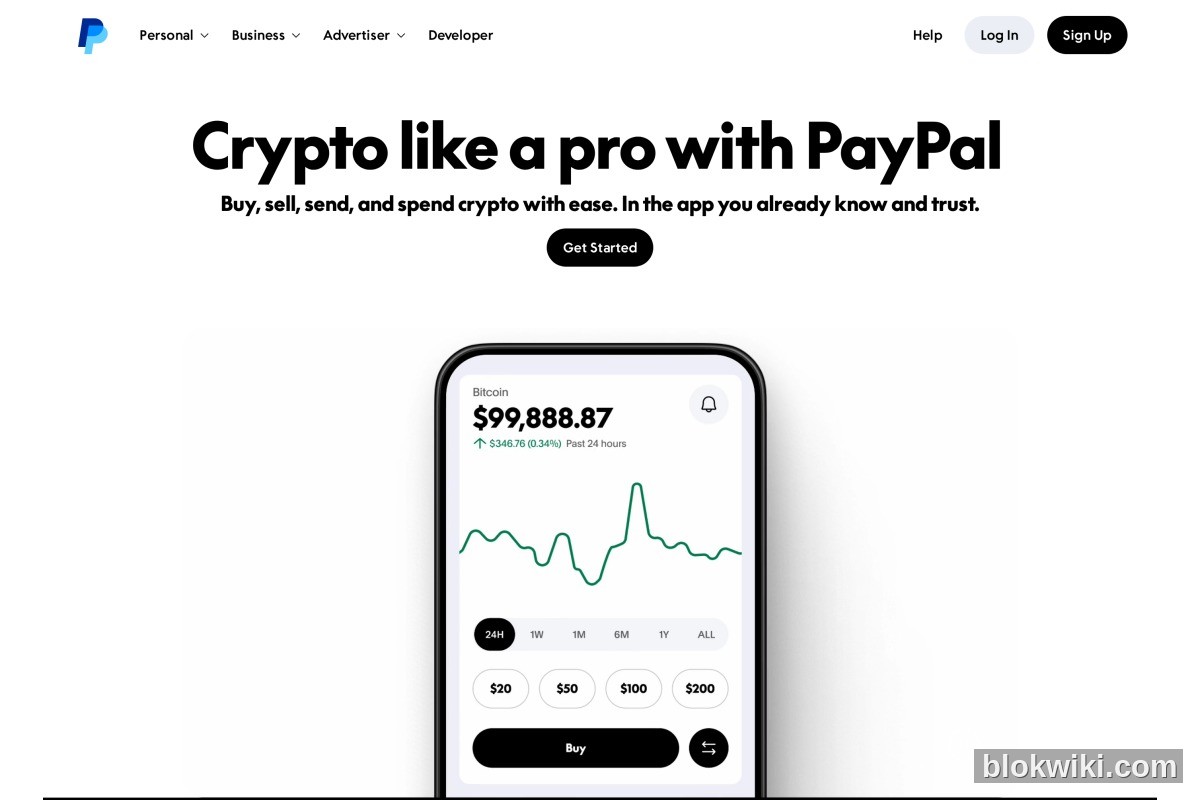
PayPal’s own crypto page puts it simply: Buy, sell, send, and spend crypto with ease. In the app you already know and trust. The coin badges on that page are Bitcoin, Ethereum, PayPal USD (PYUSD), Litecoin, Solana and Chainlink. The service is provided by PayPal Digital, Inc., and the minimum purchase is $1.
Pay close attention to how the fee works, because it is not a single headline percentage:
- The buy/sell fee is tiered by USD amount — larger amounts sit in lower tiers;
- The exchange rate you see also includes a crypto conversion spread. That is PayPal’s own wording on its fee page: part of the cost sits inside the rate;
- Holding is free, and transferring to another PayPal or Venmo account is free.
The limitation that matters most: in-app crypto is only available in selected markets. The test is simple — open the app and look for a Crypto entry point. If there isn’t one, the feature is not live for you, and you should not trust any service claiming it can “enable” it on your behalf.
Sending to your own wallet: possible, with regional limits
This is what most people actually want to know, and PayPal’s rules are explicit:
- Sending to an address outside PayPal: PayPal charges no fee of its own, but you pay the on-chain network fee, shown before you confirm;
- US account limits: PayPal’s help centre states a $25,000 weekly sending limit and a $100,000 weekly buying limit. For buying and transferring to an external wallet in one step, the lower of the two applies — in practice $25,000 per week.
Note carefully: these limits are the US rules. Whether other markets allow external transfers at all, or use the same numbers, depends on the rules shown inside your own account. The official page also lists Exodus, Ledger, MetaMask and Phantom as wallet destinations — confirming that sending to an external wallet is a real product capability, not a rumour.
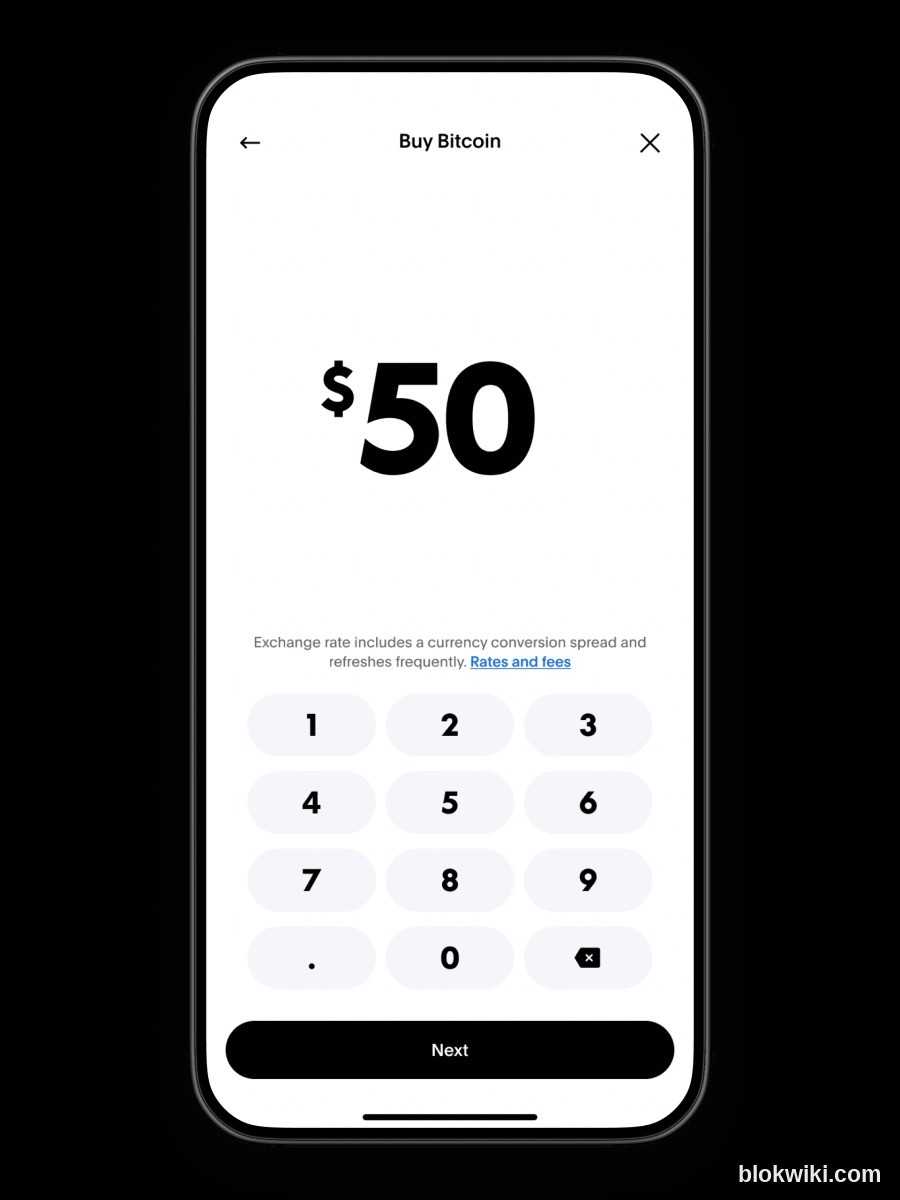
Worth pointing out: PayPal’s own interface states “Exchange rate includes a currency conversion spread.” The cost sits inside the rate — that is their disclosure, not our inference.
Route 2: PayPal → bank or card → exchange (the recommended route)
Why is this the main route? Because Binance does not accept PayPal funding. Plenty of guides claim you can “just buy with PayPal on Binance P2P”, but in reality PayPal is an optional P2P payment method there and varies by region, by merchant and over time — it is not something to depend on. Treating PayPal as the last leg of a funding chain is the reliable approach.
The standard sequence:
- Withdraw your PayPal balance to a bank account in your own name (or back to a linked card);
- Wait for the bank side to clear (withdrawals commonly take one to three business days);
- Complete KYC on the exchange under the same name as your PayPal account;
- Fund via the exchange’s fiat rails: bank transfer, card payment or a local instant-transfer scheme;
- Buy BTC or ETH on spot, and withdraw to self-custody if you are holding long term.
On platform choice, Binance has the deepest fiat and P2P liquidity and is the natural first pick; OKX and HTX are solid backups, with different fee schedules and funding options. Compare them in our fee comparison, the Binance review and the OKX review. For the full beginner walkthrough, see our 2026 guide to buying BTC.
Route 3: a PayPal seller on P2P (not for large amounts)
If you genuinely want to buy with PayPal inside P2P, the flow is: sign in to the exchange, open P2P, pick the asset and amount, then check whether any PayPal merchants appear under the payment-method filter. PayPal’s own documentation notes that P2P payment methods depend on region, merchant and current availability — they may simply not exist for you.
Know the risks before you try it:
- Chargeback and dispute risk. Once crypto is released, a PayPal dispute may not recover it, which is exactly why merchants refuse these orders;
- Price deviation. Sellers who accept PayPal often price above market, so your real cost sits well above the headline rate;
- Risk controls and compliance. Frequent large PayPal transfers can trigger account reviews and restrict normal use.
Bottom line: small test amounts only. For anything meaningful, use Route 2.
The three pitfalls people hit most
- Believing “no KYC / no verification” platforms. Those phrases genuinely appear in search suggestions, but the overwhelming majority of such sites are scams or outright fraud. There is no legitimate route to buying crypto that skips identity verification — check domains against our guide to spotting fake exchange sites.
- Paying a P2P merchant straight from your PayPal balance or credit card. If a dispute happens, the crypto is already released and the money is frozen — you are stuck on both sides. Keep the money chain clean by using Route 2.
- Assuming in-app buying works everywhere. PayPal enables crypto market by market, so cross-border users often find “the tutorial works, but I have no entry point”. Whether your app shows a Crypto entry is a better test than any article.
Frequently asked questions
Can I deposit to Binance with PayPal?
No. Binance does not support PayPal as a funding method. The workable path is to withdraw your PayPal balance to a bank account or card, then fund the exchange by bank transfer, card payment or a local instant-transfer rail. PayPal merchants on P2P exist only sporadically in certain regions and should not be relied on.
What does buying bitcoin with PayPal actually cost?
Two components: a tiered buy/sell fee based on the USD amount, plus a crypto conversion spread built into the exchange rate. PayPal’s fee page states the spread explicitly, so the true cost is both together, not just the headline percentage. Holding and internal transfers are free; sending to an external address incurs the on-chain network fee.
Can I send PayPal crypto to a hardware wallet?
Yes. PayPal supports sending to an address outside PayPal, with no PayPal-side fee; you cover the on-chain network fee, shown in advance. US accounts also have a $25,000 weekly sending and $100,000 weekly buying limit; other markets should follow the rules shown in their own account. For choosing and backing up hardware wallets, see how to choose a wallet and our seed phrase safety guide.
Can I use PayPal Credit or my PayPal balance?
In-app buying accepts ordinary funding sources such as your PayPal balance. Using credit lines to buy crypto is restricted under the terms in many regions, and leveraged crypto buying is extremely risky regardless. Do not draw on credit to buy coins. Whether a P2P merchant accepts PayPal is covered in Route 3 above.
Which countries support buying crypto inside PayPal?
PayPal does not publish a complete country list; the US and UK are known to be live. The reliable test is not an article but your own app — whether a Crypto entry point exists and whether an order actually completes.
Risk notice
Risk notice and affiliate disclosure: trading and holding cryptocurrencies carries a risk of capital loss, and payment-platform rules, availability, fees and limits can change at any time. This article is not investment advice. The PayPal fee structure, external-wallet rules and US limits cited here come from PayPal’s official fee page and help centre (verified October 2026); other markets are governed by the rules shown inside your own account. This article contains promotional links: if you register through them we may earn a commission, at no extra cost to you and without affecting our editorial judgement.