FaceStealer: 6 Must-Do Steps After Signup
The FBI has named a North Korean campaign FaceStealer: attackers record webcam footage in advance, lure contacts into lookalike Zoom or Teams pages, t…
FaceStealer: How Fake Video Calls Stole $400M in 18 Months, and 6 Steps After You Sign Up
No private key was brute-forced. No seed phrase was photographed. Nobody clicked a fake airdrop. The victims sat at their desks, watched a person they knew appear on a video call, heard that person say the audio was broken, and then installed the malware themselves.
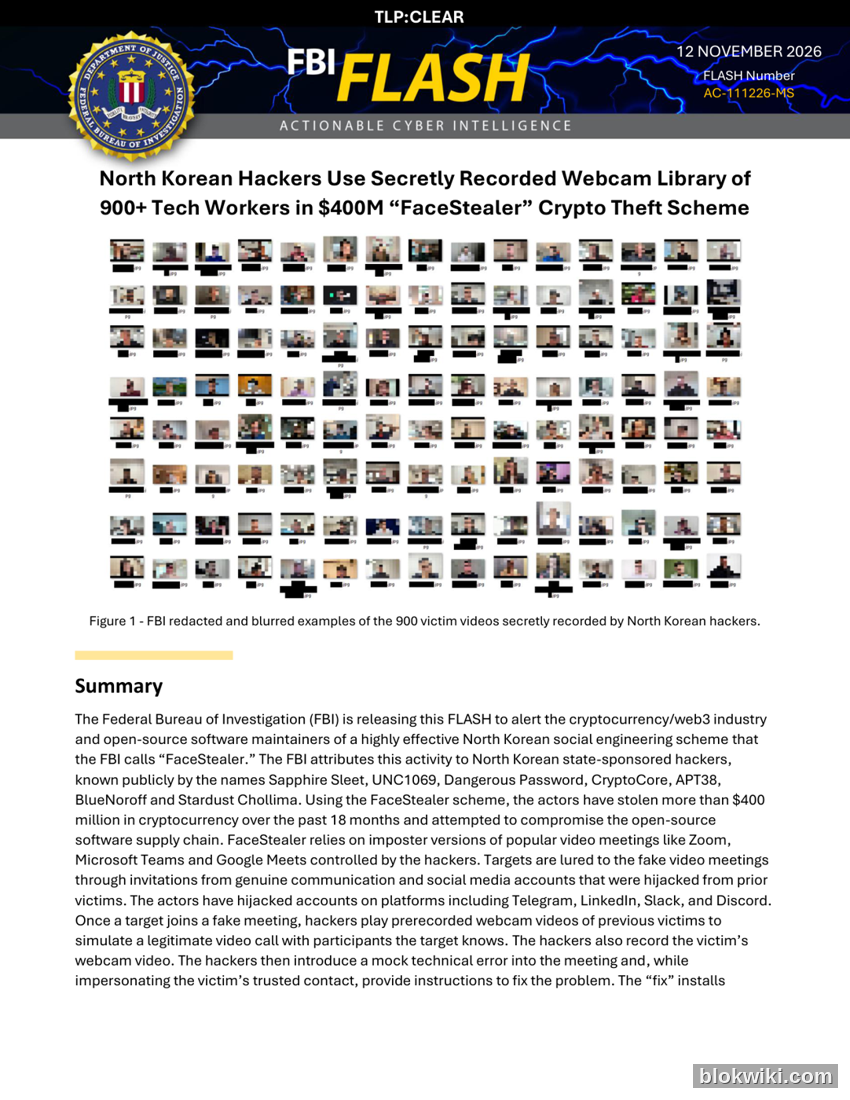
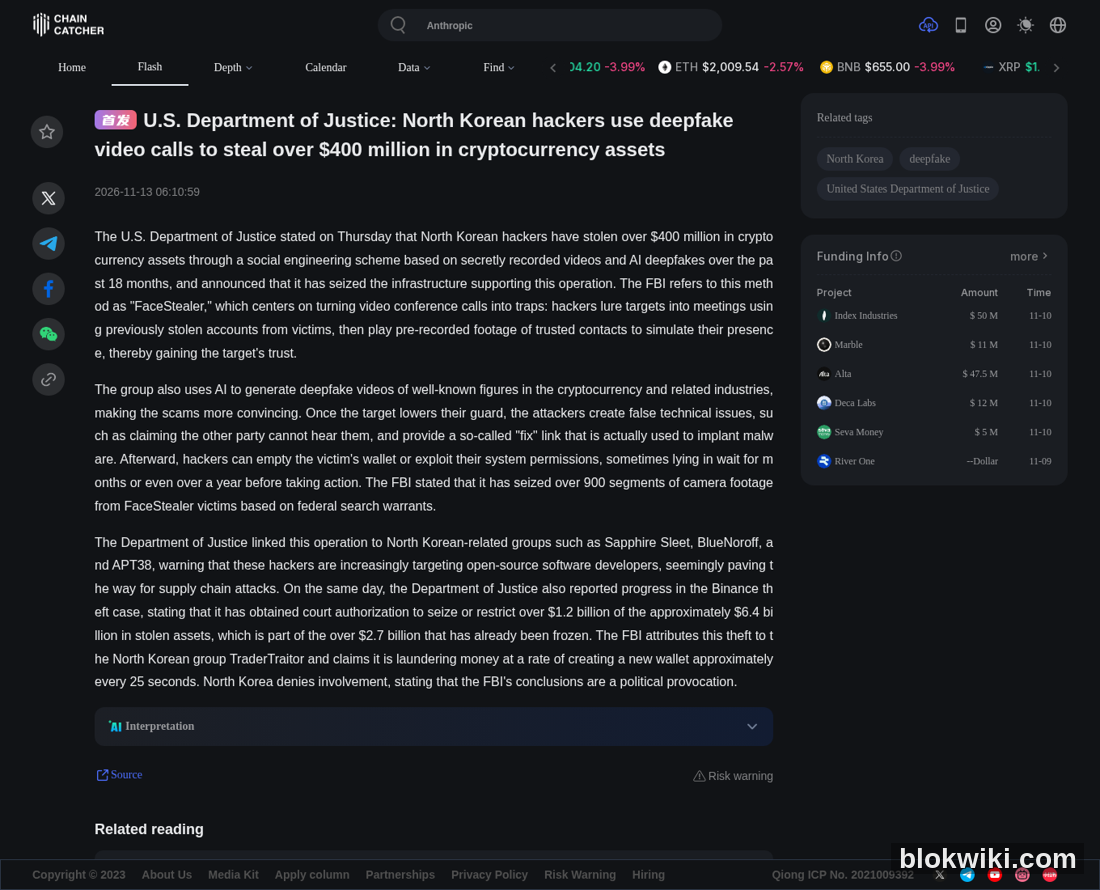
On November 12, 2026, the FBI published FLASH notice AC-111226-MS (marked TLP:CLEAR) and gave the technique a name: FaceStealer. According to the notice, North Korean state-sponsored actors used it to steal more than $400 million in crypto over the past 18 months.
The same day, the Department of Justice said it had seized more than 900 webcam recordings of victims under federal search warrants. In a separate development, a court authorized the seizure or restriction of more than $1.2 billion of the roughly $6.4 billion stolen from Binance, on top of more than $2.7 billion already frozen. The FBI attributed that case to the North Korean group Trader Traitor, which spins up a new wallet roughly every 25 seconds. North Korea denies the allegations.
Why this matters if you are about to open an account
Most people still think crypto security means never sharing a seed phrase. FaceStealer shows the attackers have moved one step ahead of that advice: they do not need your seed phrase. They only need you to install their malware yourself.
The faces were recorded in advance
The detail that matters most in the FBI notice is not the call. It is the preparation. The actors secretly recorded webcam footage of more than 900 technical workers and built a library of faces. This is long-horizon work: stockpile the footage, wait for the right moment, then use your face to fool your friends.
The domains are almost invisible
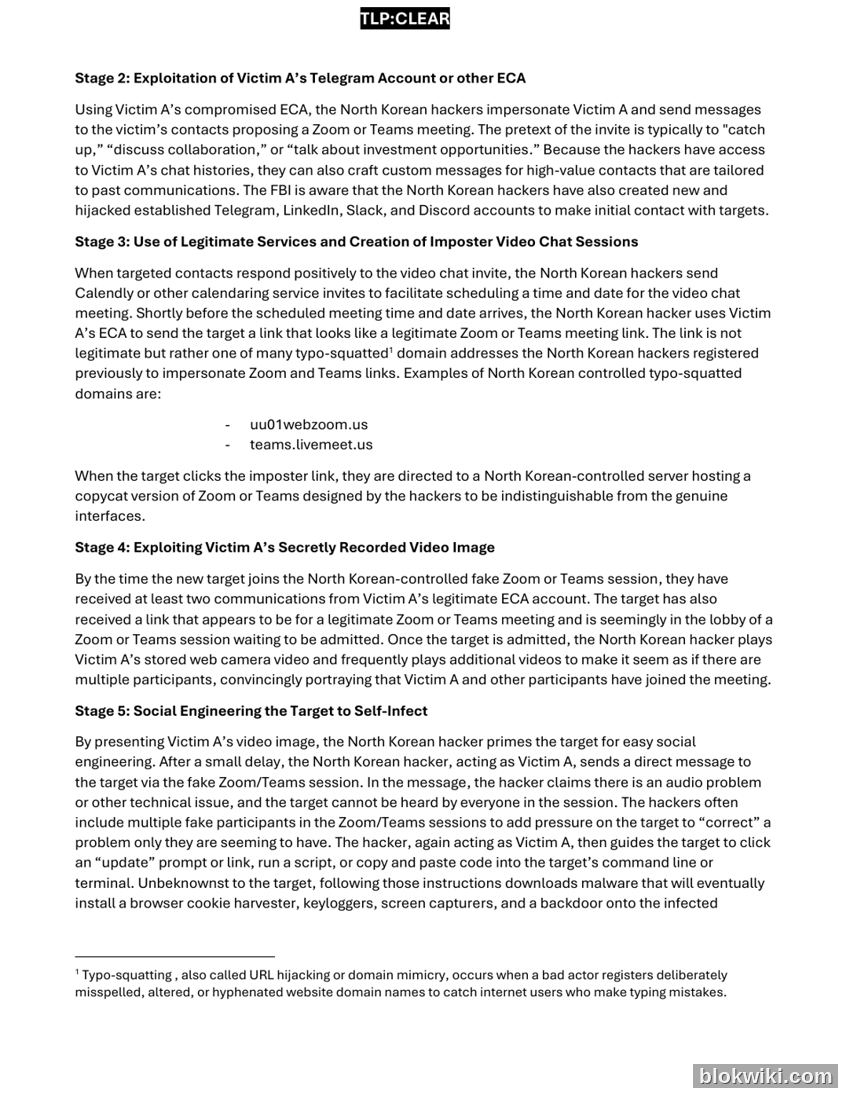
The FBI cites uu01webzoom.us and teams.livemeet.us. Both split a familiar brand, double a letter, and bolt on a prefix that looks plausible at a glance. One habit is worth more than any blocklist: the part of a domain immediately before ".us" is whatever the registrant chose. If you did not type the address yourself or open it from a bookmark, stop and check.
The fake meeting even fakes the waiting room
Click the link and you land on a Zoom or Teams page that is nearly indistinguishable from the real thing, complete with a "waiting for the host to admit you" prompt. That detail is the clever part. It turns "wait a minute" into reasonable behavior, so you do not get suspicious when the meeting never starts.
What actually lands is a toolkit, not a single trojan
The "audio fix" installs a browser cookie stealer, a keylogger, screen capture and a backdoor. The cookie stealer can replay sessions you are already signed into, which in many setups walks straight past two-factor authentication. The keylogger and screen capture record everything you type and everything you see afterward. In plain terms: once it is installed, whatever you do in your browser may be visible to someone else.
The five-stage chain, as the FBI describes it
| Stage | What the attacker does | What should raise a flag |
|---|---|---|
| 1. Account takeover | Hacks victim A's email or corporate messaging account | A familiar address suddenly sends an unusual attachment or link |
| 2. The approach | Uses A's account on Telegram, LinkedIn, Slack or Discord to contact A's acquaintances, proposing a call to catch up, discuss a partnership or talk investments | Someone you have not spoken to in years is suddenly eager for a video call, especially one framed around an investment |
| 3. Locking the time | Sends a calendar invite to fix the slot, then sends the meeting link from A's account | The link is not an official domain but a lookalike such as uu01webzoom.us or teams.livemeet.us |
| 4. The fake meeting | A near-perfect fake Zoom or Teams page with a fake waiting room; A's pre-recorded webcam video plays, sometimes with other "participants" composited in | The face is there but the audio never works, and the person never answers a specific question |
| 5. The install | "A" says the audio is broken and asks you to click a "fix" link, run a script or paste a command into a terminal | Any request during a meeting to run a script, install a plugin or paste a command |
Read as a sequence, the chain never breaks a sophisticated technical control. It breaks the judgment "I know this person." The video exists only to make that judgment harder to question.
Six things to do right after you open an account
None of these require technical knowledge. All of them require you to go into settings and do them before you fund the account.
- Use a hardware security key or an authenticator app for 2FA, not SMS. Text codes can be intercepted, SIM-swapped or social-engineered away. Prefer a FIDO2 hardware key; an authenticator app is the next best option. If the exchange offers several 2FA methods, turn SMS off or demote it to backup.
- Turn on a withdrawal address whitelist, with a 24-hour activation delay. A whitelist means only addresses you registered in advance can receive withdrawals. The delay gives you a buffer if your account is compromised: an attacker who gets in still cannot move funds immediately.
- Talk to support only through the exchange's own ticket system. Any "support agent" who asks you to add them on Telegram, join a group, or join a video call to walk you through something is an impostor. Exchanges do not DM you for codes, and they do not ask you to share your screen.
- Never run a script or a command someone gives you to "fix the audio" or "install a meeting plugin." This is FaceStealer in one sentence. Real conferencing software does not ask you to paste commands into a terminal. If someone does, hang up and verify through another channel, no matter how familiar the face on screen looks.
- Keep large balances in a self-custody wallet and leave only trading capital on the exchange. An exchange is a doorway, not a vault. For the mechanics of withdrawing and avoiding address poisoning, follow this walkthrough.
- Audit authorized devices and API keys once a month. Remove logins you do not recognize, delete unused API keys or strip their permissions, and if anything looks wrong, change your password, reset 2FA and check whether your withdrawal whitelist was altered. Before you pick a venue, compare it against these five security indicators.
Why North Korean actors keep targeting crypto
Because once funds are on-chain, cross-chain swaps, mixers and split transfers make recovery far harder than reversing a bank transfer. A bank payment can be frozen or recalled. A confirmed on-chain transaction cannot. That is also why the DOJ is spending so much effort to seize that $1.2 billion: by now it has passed through a great many wallets.
For the backstory, see our technical post-mortem of the $6.3 billion Binance theft and the FBI's attribution. The notice lists a string of tracked names: Sapphire Sleet, UNC1069, Dangerous Password, CryptoCore, APT38, BlueNoroff and Stardust Chollima. Different labels, same category of long-running state-backed team.
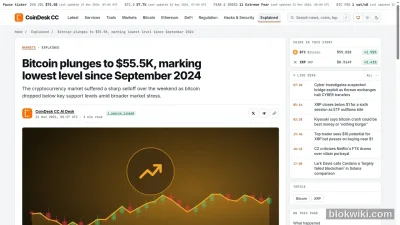
For the same-day press coverage, see the screenshot below.
Build the habits on day one
Security habits are not something you add after an incident. On the day you open the account, set up 2FA, the withdrawal whitelist and in-platform support tickets. Fund it with a small test amount first, confirm the withdrawal flow works end to end, and only then scale up. Start with an exchange that is regulated and supports hardware-key 2FA and withdrawal whitelists: Binance, OKX or Gate.io.